


A chore chart app for kids aged 4 to 14
Give the morning routine a place your child can check before you have to ask.
Groowble is a chore chart app for kids aged 4 to 14. You choose the chores, approve them and give points in one tap, and your child trades those points for rewards you pick together.



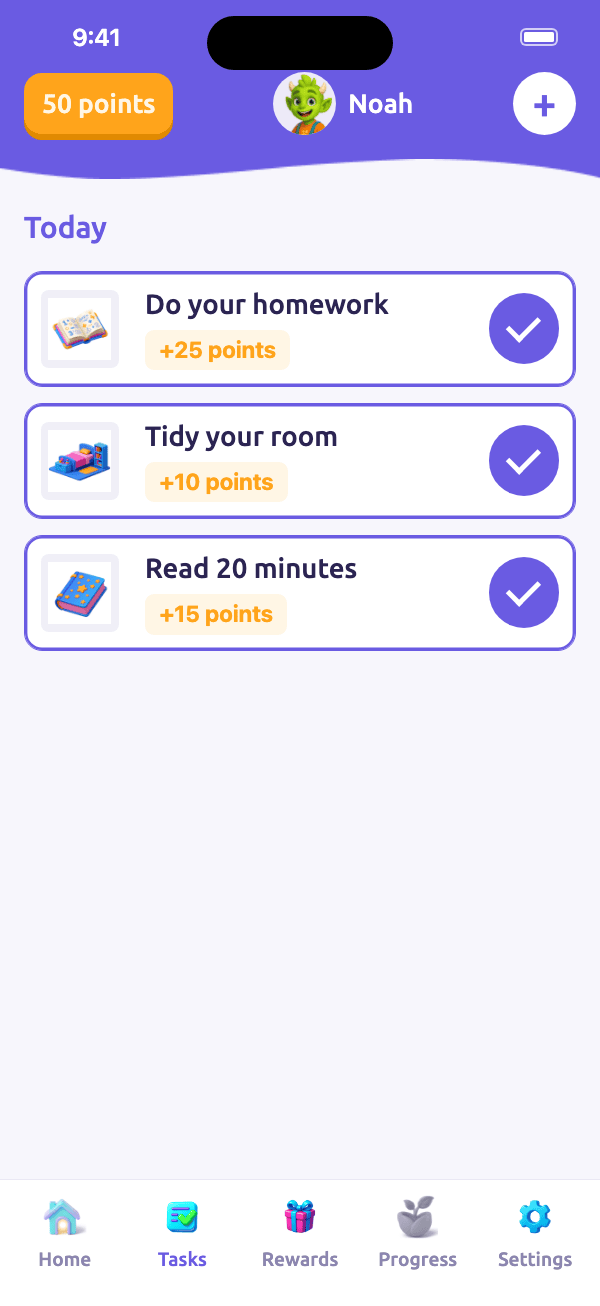
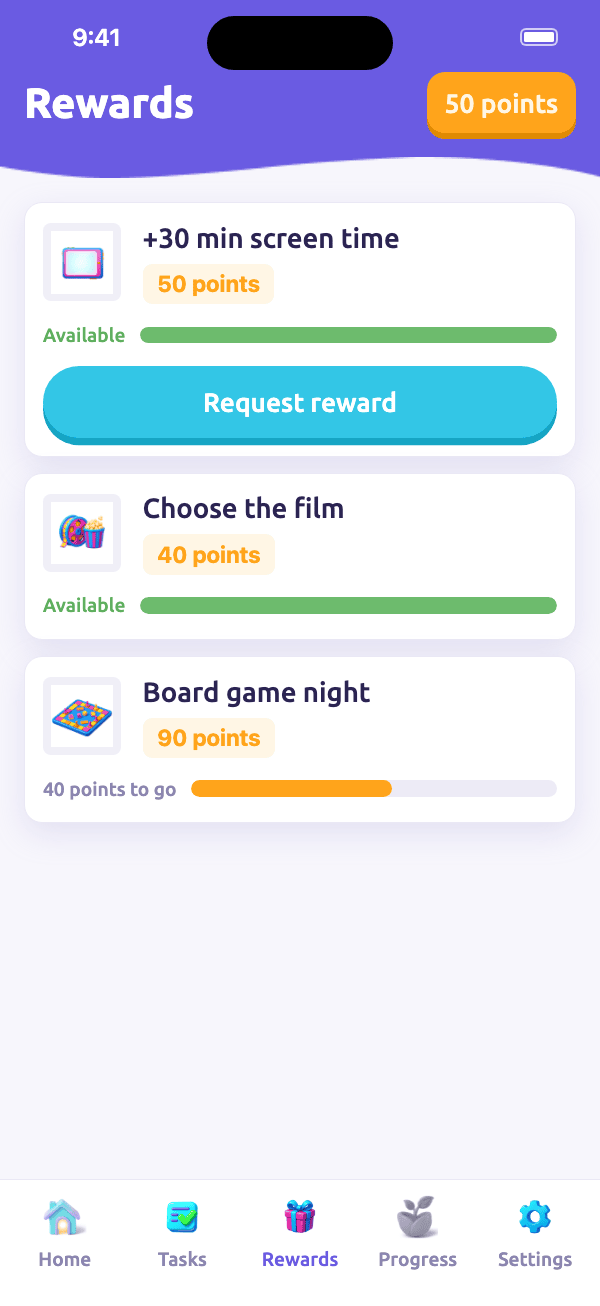
Three chores in a day 50points
You approve each chore, your child sees the points add up.
How it works
How the chore chart app works
01
Choose the chores
Start with something your child already does most days, like making their bed or getting their school bag ready. You can use an age-based suggestion or write your own task and decide how many points it’s worth. Set it for any time, for specific days or as a one-off, and add a reminder if it helps. You can also set a timer for reading or break the morning or evening routine into a mission with several steps.
02
Give points when the job is done
Once your child has finished a chore, you approve it and award the points in one tap. If they use Groowble themselves, they can mark the chore as done for you to check. If they don’t have a device, you can do it all from your phone. Either way, you decide when the points go on their chart.
03
Let your child pick what to save for
Choose a few rewards together, then set the cost of each one in points. Your child can see what they can already afford and how close they are to something they want to save for. When they have enough points, they can choose a reward and ask you to approve the exchange.
Examples
What does a chore chart look like at each age?
Here are three example chore charts using suggestions from Groowble. The reward timings are estimates based on the full daily points total. You can change what each chore is worth and what each reward costs.
| Age | Daily chores (points) | Points a day | A reward to aim for |
|---|---|---|---|
| 4 to 6 | Morning routine (15), put away shoes and coat (10), tidy the living room toys (10), set the table (10) | 45 | Pick the car music (30) on the same day or save for a pyjama day (100) in a little over two days |
| 7 to 10 | Morning routine (15), do homework before playing (25), pack your school bag (15), clear the table (10) | 65 | Choose dinner (150) in under two and a half days or save for a cinema trip (200) in about three days |
| 11 to 14 | Do homework before playing (25), take out the rubbish (20), load or unload the dishwasher (15), take care of your laundry (10) | 70 | Get 30 extra minutes of screen time (120) in under two days or save for video game currency (400) in about six days |
The morning routine is a five-step mission. Each step is worth 2 points, with a 5-point bonus for completing all five, bringing the total to 15 points.
Ages 4 to 6. Use icons for jobs with a clear finish, like putting shoes and a coat in their usual place when your child gets home.
Ages 7 to 10. Give chores a place in the day, like packing the school bag after homework or clearing the table after dinner.
Ages 11 to 14. Give your child a job they can manage from start to finish, like doing their laundry on a day that fits around school and other plans.
For more ideas, see our guide to age-appropriate chores.
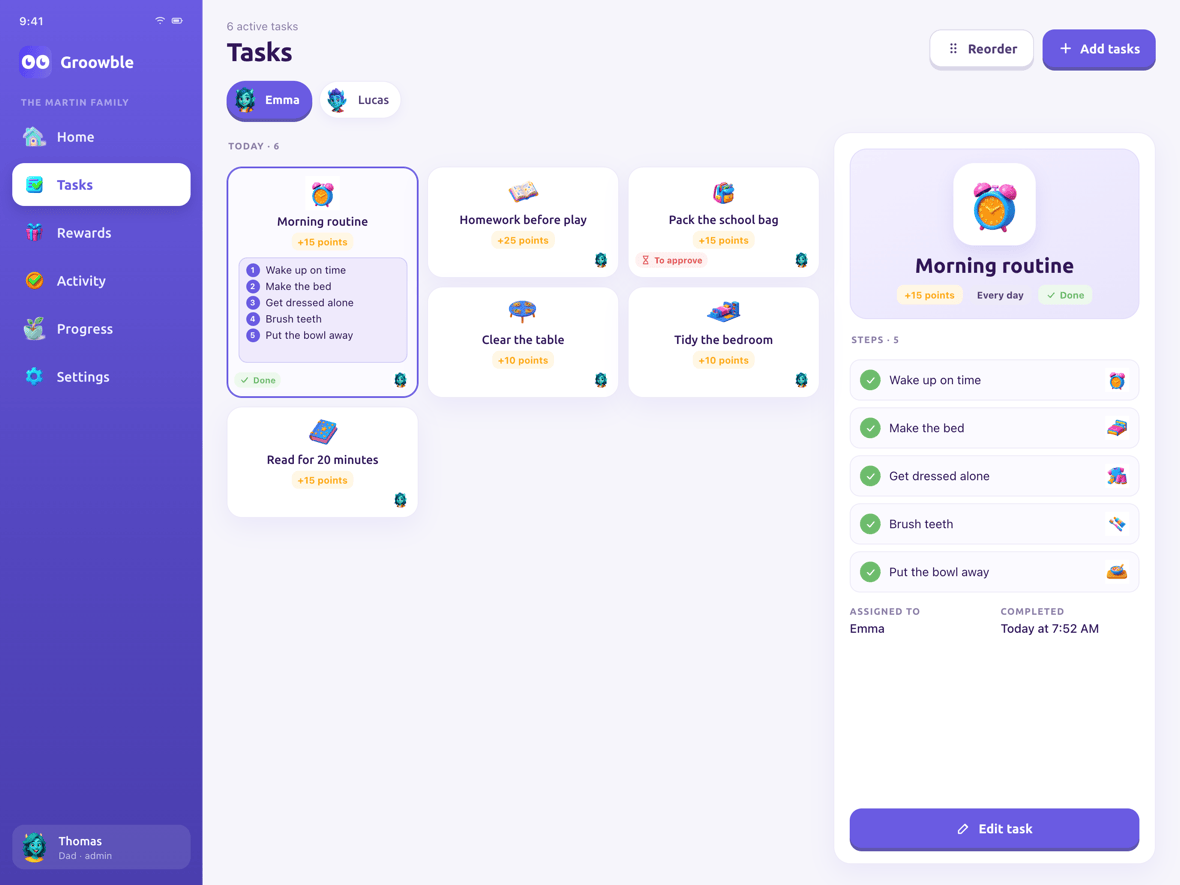
One child’s chores for today, morning routine included.
Getting started
How to set up a chore chart that works
Start with three or four chores on a typical day. Put them where they fit naturally, such as feeding the pet after breakfast or clearing the table after dinner. For jobs that only come up on certain days, like taking the rubbish out for collection, set the chart to show them when they’re due.
Set points according to the effort involved. Feeding the pet might be worth 5 points, while doing homework before playing might be worth 25. If a chore keeps getting skipped, check whether your child knows what to do and when to do it before changing the points.
Pick a first reward your child can reach in two or three days with the chores you’ve set. If extra screen time is something you both agree on, 30 extra minutes at 120 points is one option. You can also add something to save for over a longer stretch, like a sleepover at a friend’s house for 500 points.
After a week, look at the chart together. If a chore has become a habit, take it off the chart. If one regularly gets missed, try moving it to a better time or breaking it into smaller steps.
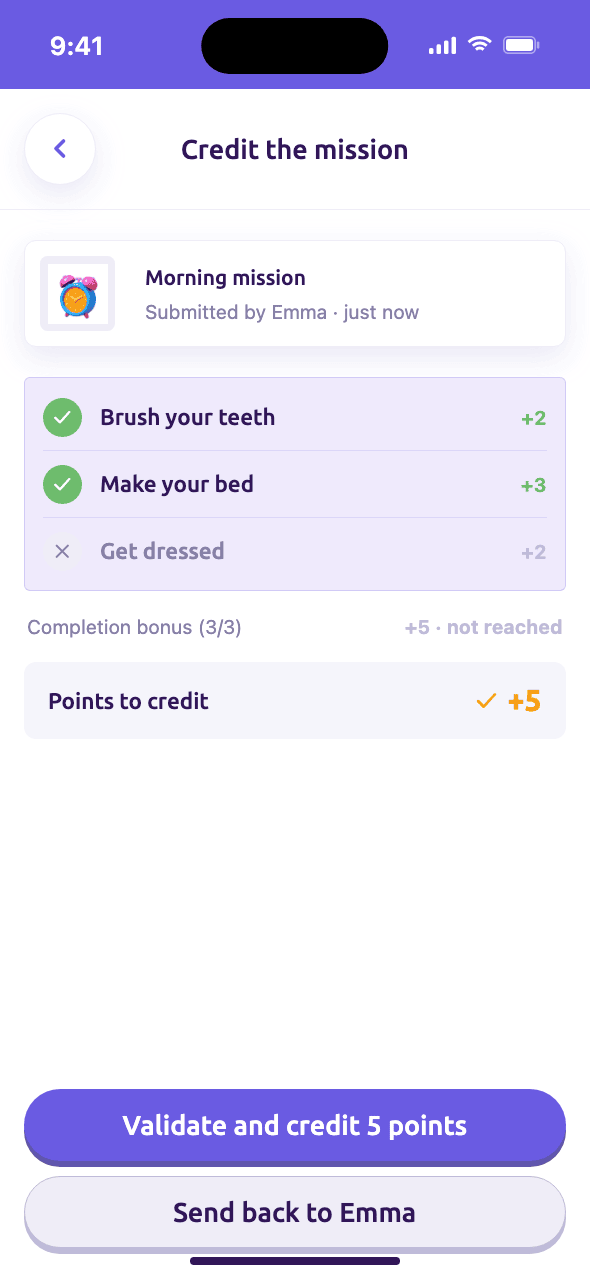
A routine broken into smaller steps.
Sticker album
More than a sticker chart
Sometimes a sticker is just a nice way to say, ‘I saw how hard you tried.’ You choose which sticker to send, and it goes straight into your child’s album. There are 72 stickers across seven series. The album keeps count of duplicates, and there’s a celebration when your child completes a series.
Series 1 and 2 are free, and Premium opens up series 3 to 7. If your child doesn’t use a phone, you can fill their album from yours and look through it together. You can also print the album for free, with a booklet that has a space for each sticker and sheets your child can cut up and stick in by hand.
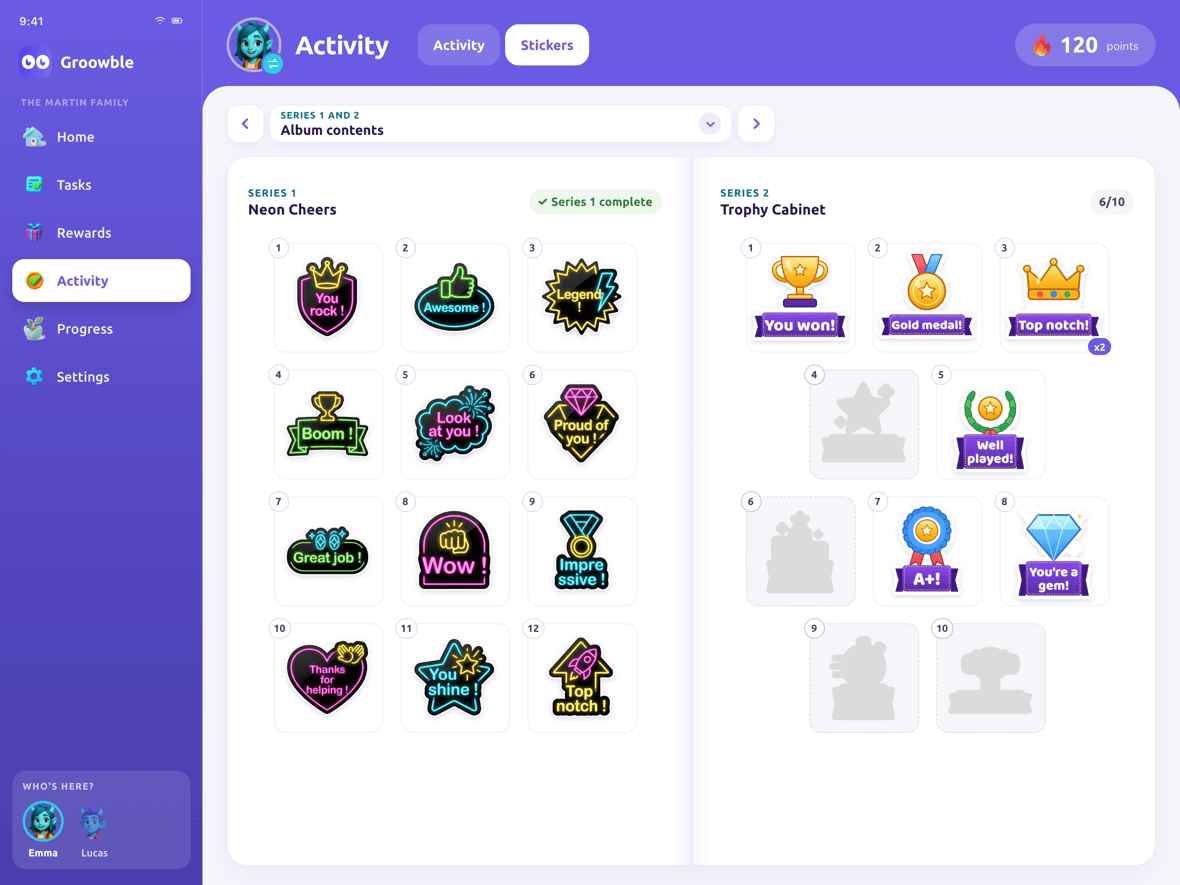
Series 1 complete, series 2 on its way.
Paper or app
Paper chore chart or chore chart app?
A chart on the fridge is easy to see, and ticking a box in pencil can be half the fun, especially for a child without a phone. Our free printable chore charts by age are a good place to start. A digital chore chart comes in handy when you’re keeping track of points, changing the routine or juggling different lists for siblings. With Groowble Premium, you can print a weekly sheet with your child’s own chores. They tick it off in pencil, then you scan the QR code to record their week in the app.
| What you want to do | Paper chart | Groowble |
|---|---|---|
| Add up points | Count and update the total by hand | Adds up the points you award |
| Remember what’s due | Put the chart somewhere visible | Set reminders for chores |
| Look back at the week | Keep the completed sheets | See weekly progress in the app |
| Make a chart for each child | Use separate sheets or columns | Keep each child’s chores and points separate in one family chart with Premium |
| Use it without a child’s phone | Tick chores off in pencil | Manage everything on your phone, or print a weekly sheet with Premium |
| Give stickers | Stick them on the chart or in a booklet | Send stickers to a collectable album you can also print for free |
| Get started for free | Use your own sheet or a free printable | One child and up to four chore or reward approvals a week |
Rewards
One family chart, room for different rewards
Groowble doubles as a reward chart app, so each child can see what they’re saving for alongside the chores they do. When you sit down to choose rewards together, ask what they’d actually look forward to. One child might want to pick the music in the car, while another would rather save for a cinema trip. You set the points for each reward together.
With Premium, siblings can share one family chart while keeping their own lists and points balances. That means you can give one child a short morning routine and another a couple of jobs on set days, then change each list as their week changes. Groowble is free to use for one child, with up to four approvals a week across chores and reward requests.
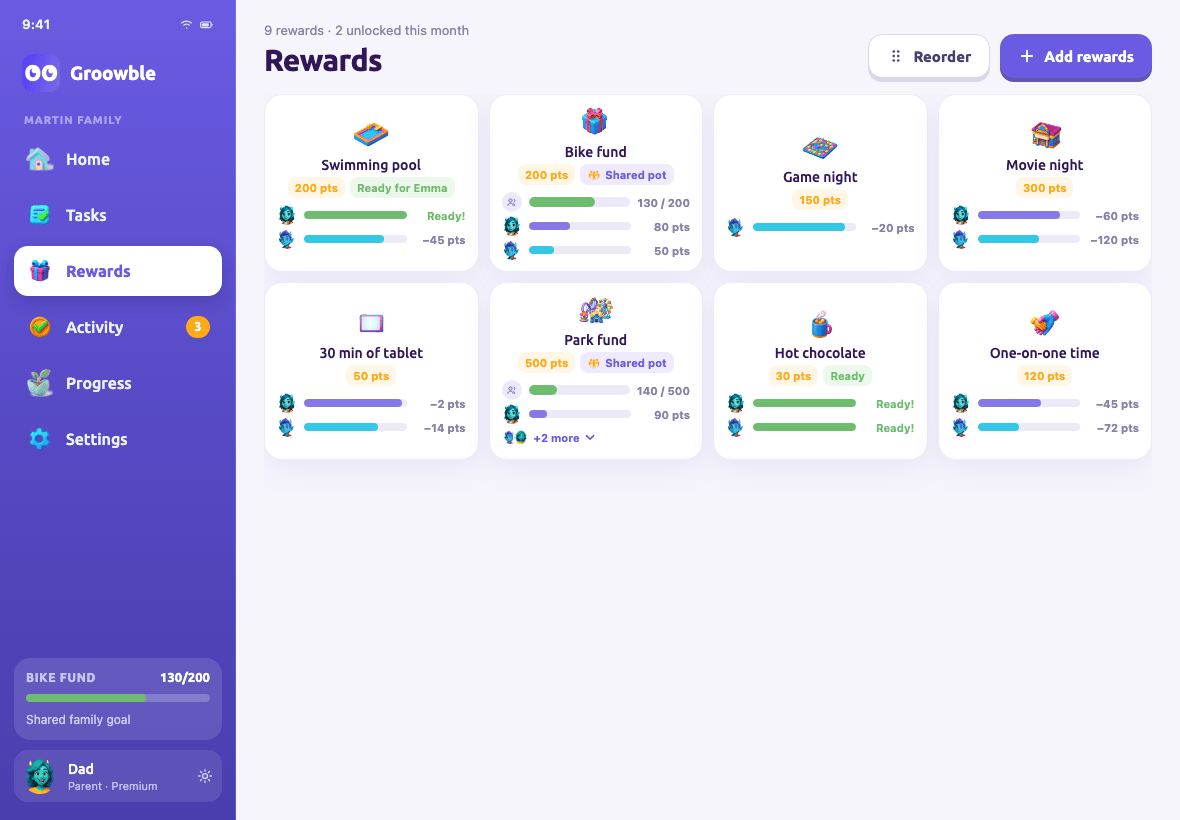
Shared rewards and each child’s progress.
Frequently asked questions
Start with three or four on a typical day. Give each chore a clear place in the routine, then review the list after a week to see what needs to move or come off.
Groowble’s suggestions range from 5 to 30 points per chore, depending on the effort involved. An everyday reward can cost 30 to 150 points, while a bigger reward can cost up to 500. You can adjust both so your child has something within reach and something to save for.
Yes. A teenager can check what’s due, mark jobs as done and keep track of their own points. Agree on which jobs they’re responsible for and when they need doing, then let them choose when to fit them in.
It depends on how your child will use it. A printable chart makes sense if they like checking off a list on the fridge, while a digital chart is handy when chores change from day to day or you want reminders and a running points total.
Yes. With Premium, adults can assign jobs to one another and set reminders. For example, one adult can take the school run while another picks up the shopping.
Yes, Groowble is free to use for one child, with up to four approvals a week across chores and reward requests. Optional Premium adds unlimited approvals and a shared chart for multiple children.
More questions? Read the full Groowble FAQ or our comparison of the best chore apps for kids in 2026.
Start with a reward they’d pick
Ask your child what they’d like to save for. Then add a few chores to their chart and give it a go.
iOS and Android · Designed for ages 4 to 14